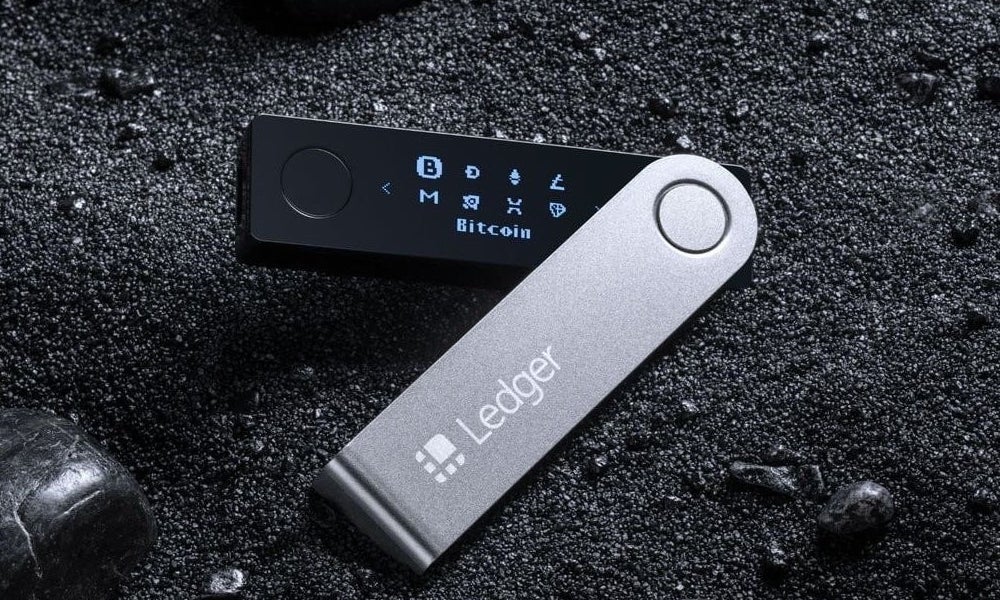
If you own a Ledger hardware wallet, whether it’s the Ledger Nano S Plus, Nano X, or the newer Ledger Stax, you’ve made a smart choice for securing your cryptocurrency. Hardware wallets keep your private keys completely offline, shielding them from the vast majority of online attacks.
But owning a Ledger doesn’t make you immune to Ledger wallet scams.
Crypto crimes has reached record levels. According to blockchain security firm Hacken, investors lost nearly $3.1 billion to cryptocurrency scams and hacks in just the first half of 2025 alone, making it the worst year for crypto crime on record. Phishing and impersonation scams surged roughly 1,400% year-over-year across 2025–2026, and personal wallet theft accounted for roughly $713 million in losses across 158,000 incidents in 2025.
No hardware wallet, however secure, can protect you if you are tricked into handing over your seed phrase. As an award-winning leader in the crypto and digital asset investigations space, combining blockchain and legal expertise, we have compiled a list of the most common Ledger wallet scams to watch out for, helping individuals and organisations better understand the risks and protect their digital assets.
Table of Contents
9 Ledger Wallet Scams to Watch Out For
Fraudulent Ledger Software (Fake Ledger Live Apps)
This is one of the most dangerous and evolving threats. Scammers create convincing fake versions of Ledger Wallet (Ledger Live), the official companion app, and distribute them through app stores, search results, and file-sharing sites. The goal is always the same, trick you into entering your 24-word recovery phrase.
The April 2026 Mac App Store attack is a sobering example. A fraudulent “Ledger Wallet” app, submitted by a publisher called “Leva Heal Limited” (not Ledger SAS, the real developer), sat openly on the Apple App Store for roughly two weeks. By the time it was removed, it had drained approximately $9.5 million from over 50 victims.
- Download Ledger Wallet only from ledger.com. Ledger does not publish a Mac or Windows version on any app store.
- On the App Store (iOS), verify the publisher reads Ledger SAS before downloading.
- Ledger will never ask you to enter your 24-word recovery phrase in the app or on your computer.
- Do not use old Ledger browser extensions,they are obsolete and potentially dangerous.
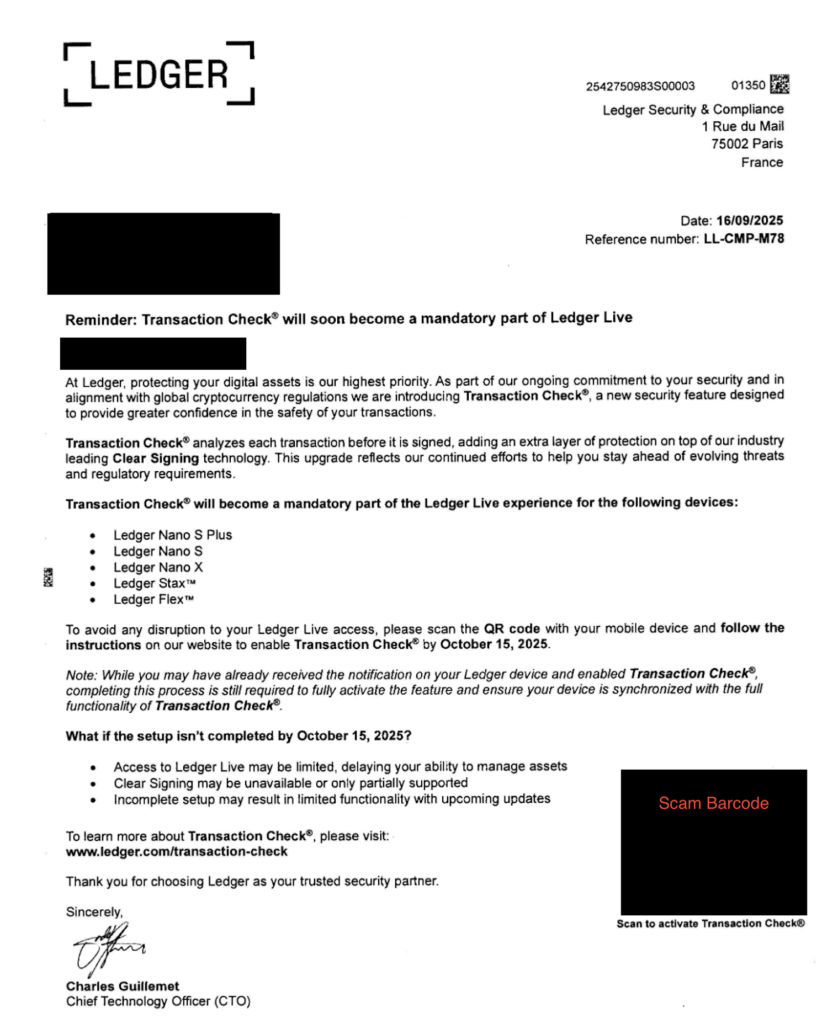
Physical Mail Phishing
This newer scam emerged prominently in early 2026 and caught many users off guard precisely because it’s so unexpected.
Scammers believed to be exploiting data from Ledger’s previous customer data breaches, mail official-looking letters directly to Ledger device owners’ home addresses. The letters instruct recipients to scan a QR code or visit a website to “secure” or “update” their device, then prompt them to enter their 24-word seed phrase.
Never respond to any unsolicited physical mail asking you to enter your seed phrase, ledger will never contact you this manner.
Fake Ledger Customer Support
Reddit, Discord, Telegram, and other crypto communities are hotbeds for fake Ledger support agents. If you post about a problem with your device, scammers posing as official Ledger representatives will often reach out, via direct message or comment offering to help. Do not click on any links posted in these messages or comments.
On Ledger’s subreddit (r/ledgerwallet), the only verified Ledger moderators are those listed in the sidebar. Any DM from someone claiming to be Ledger support should be treated with extreme suspicion. Ledger will never ask for your 24-word seed phrase.
Fake Ledger Hotlines and Support Websites
Search engines are full of fake Ledger support numbers and websites that look legitimate. These pages are designed specifically to appear in search results when users type things like “Ledger support phone number” or “Ledger wallet help.”
If you call one of these numbers, you’ll be connected to a scammer who will try to extract your recovery phrase under the guise of “verifying your account” or “resetting your device.”
Only use contact information found directly on Ledger’s official website: ledger.com/support
Tampered Ledger Packages
Buying a Ledger from unofficial or third-party sellers carries a real risk of receiving a tampered device. Scammers have been known to open packages and replace the recovery sheet with a pre-written 24-word phrase they already know.
If your new Ledger arrives with a recovery sheet that already has words printed on it, do not use that device. Your recovery phrase must be generated fresh on the device itself during first setup, those words belong exclusively to you and should never be pre-filled.
Purchase only from ledger.com or verified resellers listed on Ledger’s official website.
Pre-Written Mnemonic Phrase Scams
Closely related to tampered packages, this scam involves sellers who slip a pre-written 24-word seed phrase into a Ledger box, sometimes on what looks like a legitimate recovery card. If you set up your device using someone else’s recovery phrase, they have full access to everything you deposit. This has cost users significant sums.
Your 24-word phrase is generated by your Ledger device during setup. If any phrase arrives with the device, discard it and be cautious about using that device at all.
Clipboard Hijacking Malware
Clipboard hijacker malware monitors your clipboard for cryptocurrency wallet addresses. The moment you copy an address to paste it into a transaction, the malware silently replaces it with the attacker’s address. You send your funds directly to a hacker without realizing it.
What to do:
Always double-check the full wallet address after pasting, don’t just glance at the first and last few characters.
If you notice addresses changing after you paste them, run a thorough antivirus scan or reinstall your operating system.
Using your Ledger device’s screen to verify recipient addresses is one of the best defenses against this attack.
AI-Powered Phishing and Deepfake Scams
A rapidly growing threat in 2025–2026 is the use of artificial intelligence to make phishing attacks far more convincing. Scammers now use:
- AI-generated emails that perfectly mimic Ledger’s branding, tone, and formatting, often containing personalised details from past data breaches.
- Deepfake video calls impersonating Ledger executives or support staff.
- Fake CAPTCHA pages that prompt users to run malicious code in their computer’s command line, which then steals credentials or wallet data
If you receive any communication, email, video call, or otherwise, asking you to take urgent action regarding your Ledger device, treat it with maximum skepticism and verify independently through ledger.com.
Dark Web Phishing Kits Targeting Ledger Users
Security researchers have found sophisticated “Ledger phishing kits” being sold on the dark web, marketed to criminals as tools for stealing seed phrases at scale. These kits include:
- Professional replicas of the Ledger Live interface
- Anti-bot and anti-detection mechanisms
- Seed phrase capture functionality that works across multiple blockchains simultaneously
Victims drained through these kits have lost funds across Bitcoin, Ethereum, Tron, Solana, and Ripple simultaneously, since a single seed phrase controls wallets on all chains.
Protect Your 24-Word Recovery Phrase. Across every single scam above, the attacker’s final goal is the same: obtain your 24-word seed phrase. With those words, they have permanent, complete control of every wallet derived from them.
Never store your recovery phrase digitally, not in a Word document, a notes app, a text file, an email draft, a photo, or any cloud storage. If malware infects your device or scammers get access to your iCloud or Google account, any digital copy of your phrase is at risk.
Only store it on paper (or a metal backup for fire/water resistance), kept somewhere physically secure.
Ledger’s own CTO Charles Guillemet put it plainly after the 2026 App Store attack: “The real Ledger Live app will never ask for your 24 words. If anyone, or any app, is asking for your 24 words, assume something is wrong.”
How to Stay Safe from Ledger Wallet Scams: Quick Reference Checklist
- Download Ledger Live only from ledger.com
- Verify the App Store publisher reads Ledger SAS (iOS only; no Mac App Store version exists)
- Only enter your recovery phrase on the device itself
- Store your recovery phrase only on paper, never digitally
- Buy Ledger devices only from ledger.com or authorized resellers
- Verify wallet addresses after pasting, character by character
- Treat any unsolicited contact (email, letter, DM, phone) claiming to be Ledger with suspicion
- Check r/ledgerwallet’s sidebar for the only verified Ledger moderators
- Keep your computer free of malware with regular antivirus scans
Unfortunately, the cryptocurrency industry will be heavily filled with scammers and hackers whether we like it or not, and the only way for you to combat Ledger wallet scams is to always be sceptical and to always be updated with the schemes that hackers and scammers are using.
If you have been affected by any of these Ledger scams, you can contact us at info@cryptolegal.uk for assistance.